

To choose a solar flood light with camera, confirm four things separately: what the light must illuminate, what the camera must capture, how the device connects and stores footage, and how both functions will be powered. A product can meet the lighting requirement yet miss important events, lose remote access, or use more energy than the site can replenish.
Treat each required function as a purchase condition that needs evidence for the exact product version and app. “Wireless,” “smart,” and “all-night lighting” do not, by themselves, establish offline recording, free cloud storage, or continuous video through day and night.
Define Lighting and Monitoring Requirements Separately
The Area You Need to Illuminate May Differ from the Camera's Required View
Draw the area that needs light and the area that needs to appear in the video. A lamp may need to illuminate a wide loading space while the camera needs a useful view of the entrance. If the lamp and camera share a mounting point, check whether their available adjustment can satisfy both tasks without placing the panel in shade.
Define the detail you need to see at the relevant distance, rather than selecting on resolution alone. A broad overview and a clear view of a person approaching a door are different tasks. Ask for a demonstration with a similar field of view and confirm the result in a site trial. Avoid framing the scene so that the area of interest occupies only a small part of the image.
Nighttime Lighting, Day-and-Night Monitoring, and Event Recording Are Different Requirements
Write separate operating requirements for the lamp and camera. For example, a site's brief might call for entrance lighting during occupied hours, alerts when somebody approaches, and video available for later review. Those requests do not automatically require the same operating schedule or recording mode.
Also define what constitutes a missed event. Is a clip beginning after somebody crosses the doorway unacceptable? Must movement before a trigger be visible? Is an alert enough, or must the recording be retained and exportable? Describe these needs before comparing products so a demonstration of live viewing is not mistaken for proof of recorded coverage.
Will the Site Network Support the Selected Model?
Verify Network Type, Compatibility, Signal at the Installation Point, and Remote-Access Requirements
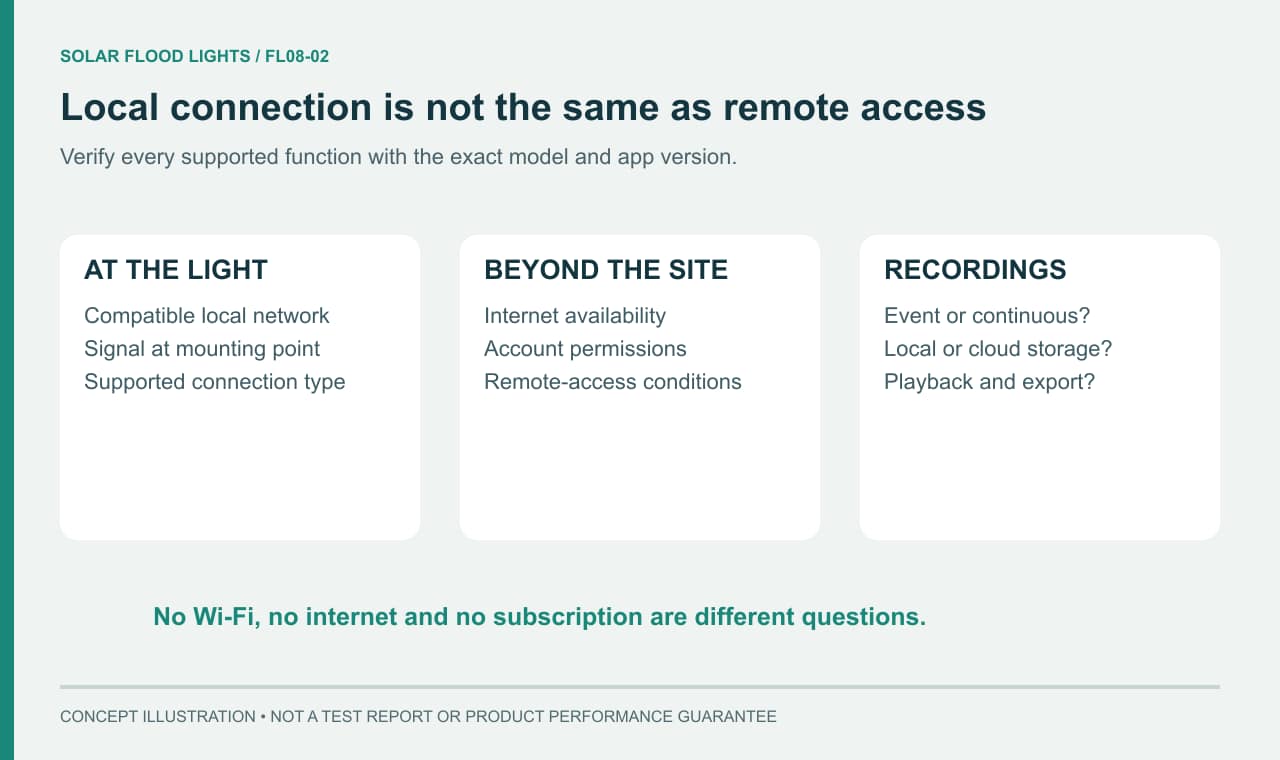
Ask which network type and setup method the exact version supports. Confirm compatibility with the site's router and any relevant access restrictions. Test at the planned mounting point: a connection beside the router does not establish reliable access outside, behind a wall, or across a yard. A phone's signal indication is a useful screening observation, but the device itself must complete the test.
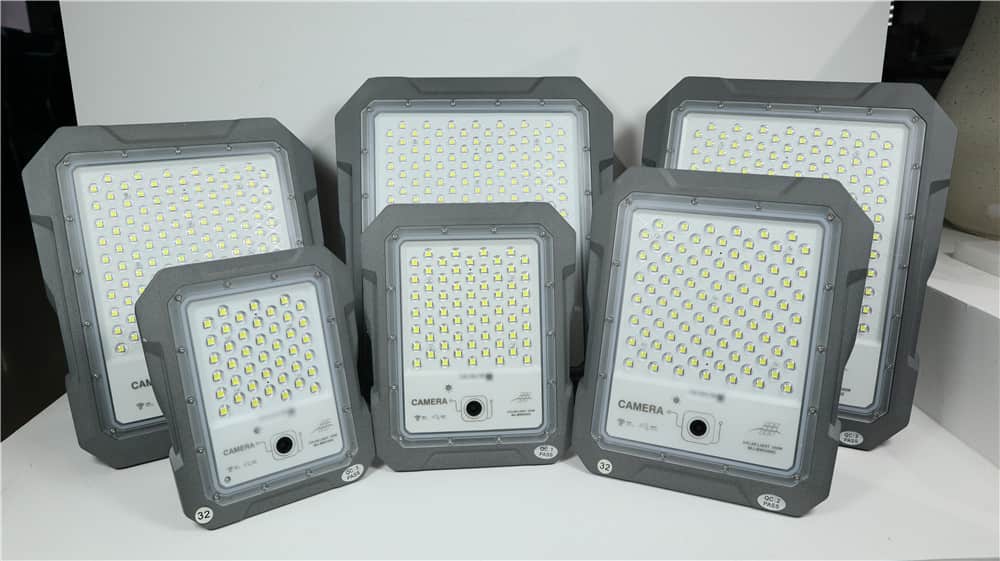
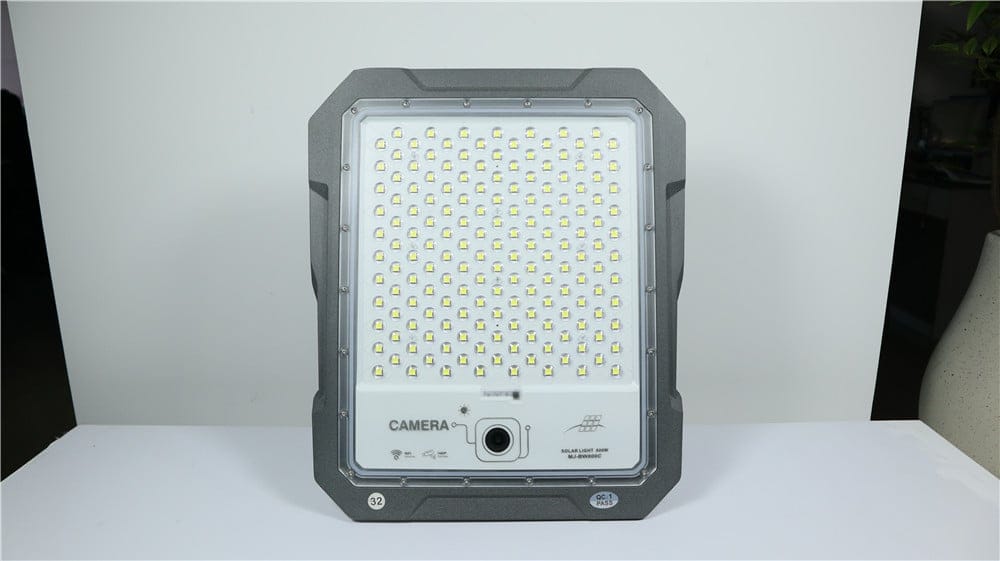
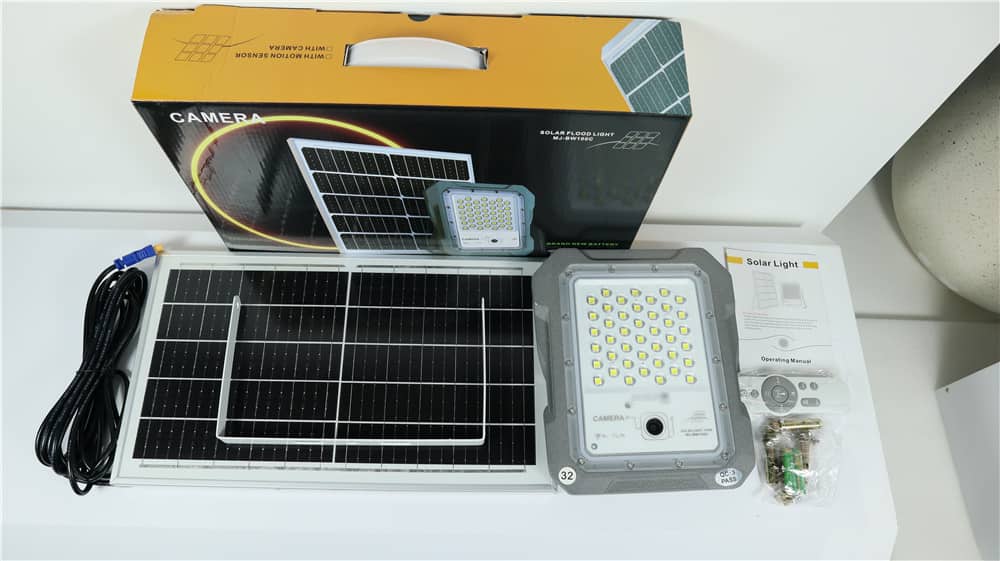
As a specific example, the supplied BW/BWC manual version identifies EseeCloud and 2.4 GHz Wi-Fi for its camera setup. Buyers considering the MJ-BWC camera flood light should match the offered hardware and instructions to that configuration before planning the network. This example does not establish that every currently supplied variant uses the same app or connection method.
Check setup, live viewing, event notifications, and playback separately. Then test remote access from outside the site's local network, using the normal access method documented for the device. A successful local setup does not demonstrate that remote functions work. Any change to a managed business network should go through the person responsible for that network.
Distinguish No Wi-Fi, No Internet, Local Recording, and Remote Viewing
“A solar flood light camera without WiFi” can describe several different needs. A site may have no wireless network at all, or it may have a Wi-Fi network whose internet connection occasionally fails. These are different conditions, and they need different compatibility answers.
Local storage describes where footage is saved; it does not automatically prove the camera can be configured, record, or replay footage without internet access. Remote viewing describes access from another location; it is not proof that clips remain available during an outage. Ask the supplier to list what continues, what stops, and what recovers automatically in each relevant outage scenario. Do not assume an alternative network connection exists unless the exact model documentation confirms it.
At a site where router power or network access may be interrupted, test those dependencies separately from the solar camera's battery. Record what is saved locally while the router is off, what can be replayed, and what resumes after the connection returns. If a cellular alternative is proposed, confirm compatible hardware, the actual operator and installation-point signal, SIM and data terms, and app availability in the destination country. The supplied BW/BWC manual's Wi-Fi configuration does not establish cellular capability.
Does the Recording Mode Match Your Expectations?
Event Recording Versus Continuous Recording
Event recording captures footage in response to a configured trigger; continuous recording aims to cover the full selected period. Event recording can suit a relatively quiet entrance, but only if triggering, wake-up behavior, and clip timing capture the events that matter. Continuous recording places a different demand on energy and storage and must be explicitly supported.
Do solar floodlight cameras record 24/7? Some purchase requirements call for it, but the product description must confirm both that the mode exists and that the configuration can sustain it under the intended conditions. In the supplied BW/BWC manual version, the factory “Optimal surveillance” setting is a power-saving option. Its “Uninterrupted Recording” instruction warns of faster battery use and that operation may not last 24 hours. A menu option is therefore not a guaranteed runtime.
Check Triggers, Recording Gaps, Storage Method, Overwrite Behavior, and Export Options
Ask how recording begins, how long a clip lasts, and whether there is a delay before the next event can be captured. Check whether recordings cover the time before a trigger, where relevant; do not assume they do. A useful test includes a person approaching, pausing, leaving, and returning, followed by playback of the actual saved footage.
Verify supported storage, any required separately purchased media, and how full storage is handled. If old clips are overwritten, understand which clips can be protected and how to export the original files you need. Test the timestamp, timezone, playback controls, and export on the phone or computer that the owner will actually use. A screenshot of a live feed is not evidence that a recording was saved correctly.
Are Subscriptions or Additional Service Fees Required?
Separate Basic Local Features from Cloud Services
When evaluating a solar floodlight camera without subscription, list the functions you expect to remain available without recurring payment. These might include setup, live viewing, saved-event playback, notifications, or footage export. Ask for a function-by-function answer: a free app download does not establish that every service within it is free.
If local storage is supported, check its purchase and replacement costs as well as any dependence on the app or account. For cloud services, verify the current plan, included devices, retention period, and features that change when a trial or subscription ends. Compare the total cost of the functions you need, not only the hardware price.
Verify the Actual App, Region, and Current Service Plan
Request the exact app name, supported operating systems, account requirements, and the service terms applicable to the installation country. Ask the supplier to show the current plan screen and identify which features belong to the device, a paid plan, or a temporary trial. Service availability and pricing can change, so keep dated evidence with the quotation.
For a property managed by several people, clarify device ownership, shared access, and account transfer before purchase. The camera should not become unusable when the installer leaves or an employee changes roles. Confirm how the owner removes a previous user's access and recovers control through the documented process. These requirements can be tested during handover.
How Do Lighting and Recording Share the Energy Budget?
Camera Operation Can Add Daytime Loads as Well as Nighttime Loads
Solar flood light camera power requirements include more than the lamp's nighttime demand. Depending on the selected operating mode, the camera and communications can consume energy during daylight as well. Recording, viewing, and activity levels may change demand; the supplier's runtime claim should state the conditions used.
Prepare an expected-use description: required lighting schedule, recording mode, typical activity, and likely live-view use. Ask how the system behaves when the battery runs low and whether lighting, recording, or communication is reduced first. Confirm this behavior for the exact version rather than assuming the two functions always stop together.
Panel placement must allow replenishment while the equipment operates. A suitable camera view does not guarantee a suitable panel position, especially beneath an overhang or beside a shaded doorway. Review separate panel placement and cable restrictions before treating the proposed mounting position as workable.
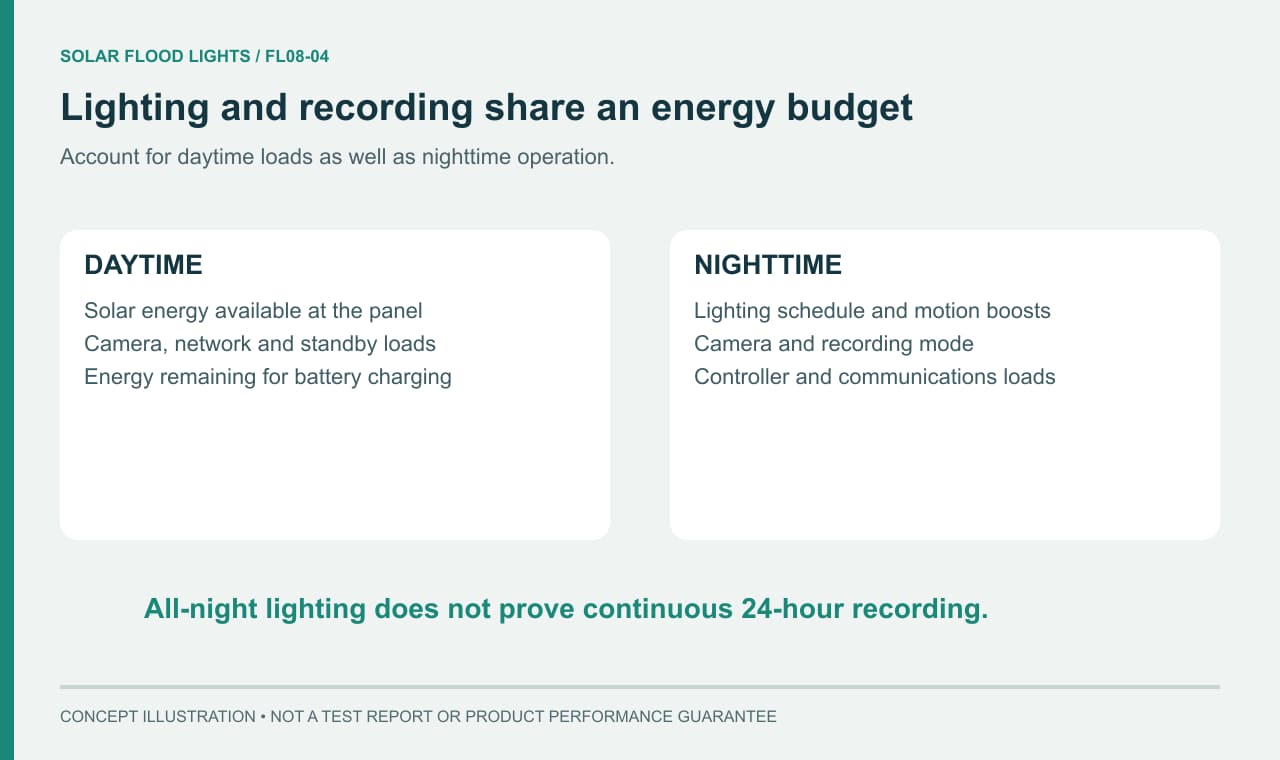
All-Night Lighting Does Not Prove All-Day Continuous Recording
A lighting runtime may describe staged brightness, a timer setting, or a test without the same camera activity as your site. It should not be repurposed as a continuous-recording promise. Similarly, a fully charged demonstration unit may complete one trial even when daily sunlight would not replenish that usage repeatedly.
To assess solar floodlight camera battery life between charges, trial the agreed lighting and camera settings over repeated day-and-night cycles and record weather, panel shading, events, and any changes in availability. Distinguish that operating runtime from battery service life, which is a different question. Ask for model-specific maintenance and replacement information rather than assuming a universal number of years.
Complete the Final Installation and Purchase Checks
Test the View, Nighttime Reflections, Network, and Panel Exposure
Run the trial at the intended mounting location using the intended settings. Check the view in daylight and after dark, including any transition between dim and brighter lighting. Look for glare from walls or reflective surfaces, foreground objects that dominate the image, and areas hidden behind parked vehicles or doors. Review recordings rather than relying solely on the live picture.
Test the relevant network-loss scenario in a controlled way agreed with the network owner. Check whether footage is retained and how access recovers, according to the promised functionality. Record the results as separate lighting, recording, storage, and connection outcomes; a pass in one area does not resolve a failure in another.
Check Access Permissions, Software Updates, and Maintenance Support
Confirm who will own the account, receive alerts, change settings, download clips, and maintain the device. Ask how updates are delivered and what software support the supplier provides. Verify applicable local recording and privacy requirements separately with the responsible local adviser or authority, including placement and access arrangements relevant to the site.
Use the comparison sheet below to turn sales descriptions into reviewable purchase conditions. Add the promised behavior and sample result to each relevant row. Mark a requirement unresolved until supporting evidence is available.
| Desired function | Network, storage, and power conditions to verify | Supplier evidence |
|---|---|---|
| Useful entrance view | Required detail at actual distance; lamp and camera adjustment | Site trial and saved day/night footage |
| Remote viewing and alerts | Compatible network, signal at mounting point, account access | Exact-version instructions and off-site access demonstration |
| Recording through an internet outage | Supported offline behavior, storage, recovery process | Written function description and controlled outage test |
| Event recording | Trigger, clip duration, gaps, and expected activity | Saved approach/return test clips with timestamps |
| Continuous recording | Supported mode, sustainable energy demand, storage behavior | Version-specific confirmation and repeated operation record |
| Use without recurring fees | Functions retained after trials or plans end | Current app/region terms and dated supplier response |
| Playback and export | Retention, overwrite rules, file access | Saved and exported sample recording |
| Maintainable ownership | Shared permissions, account transfer, updates, replacement support | Handover procedure and written support scope |
Use those requirements when reviewing the camera-equipped solar flood light range. Reject a configuration if an essential function is unsupported, or defer the decision if the supplier cannot demonstrate it. Obtain written confirmation of the exact hardware, software, required accessories, and agreed site functions before ordering.
Frequently Asked Questions
Will a Solar Floodlight Camera Keep Recording if the Router Loses Power?
The camera may still have battery power while losing its network connection. Whether it continues local recording, saves complete clips, and restores remote access depends on the exact version and settings. Test the router-off sequence safely, review the saved footage, and check recovery afterward. A working lamp or live view before the outage does not prove recording continuity during it.
Does It Support Continuous Recording Throughout the Day and Night?
Confirm the recording mode and sustainable runtime separately. A device may offer continuous recording but consume its stored energy before a full day and night have elapsed. Test the intended lighting schedule and recording mode together under representative charging conditions.
Which Functions Remain Available Without a Subscription?
There is no universal answer across apps, regions, and product versions. Ask for a current written list covering live viewing, alerts, recording, playback, and export after any free trial ends. Keep that list with the purchase agreement and verify the important functions during the sample trial.
Can I Use a Solar Floodlight Camera Without Wi-Fi?
Only if the exact camera version supports an alternative connection or the required local operation. No Wi-Fi is different from a Wi-Fi network temporarily losing internet access. Identify the network and setup requirements, then test recording, playback, alerts, and remote viewing separately. Do not infer cellular support or independent offline operation from the word wireless.
Does an SD Card Mean a Solar Floodlight Camera Will Record Offline?
No. A card slot or installed card does not establish whether the camera starts recording without a network, continues recording during an outage, or allows local playback afterward. Verify supported storage and those behaviors for the hardware, firmware, and app version being supplied. A saved test clip with the network available is not proof of offline operation.
What Should I Verify Before Choosing a 4G Solar Floodlight Camera for a Site Without Wi-Fi?
First confirm that the offered hardware actually supports cellular service; a Wi-Fi model cannot be assumed to accept a SIM card. For a verified cellular option, check local operator compatibility, signal at the mounting point, SIM and data-plan requirements, app availability, and ongoing costs. Test the required recording and remote functions. These checks do not establish 4G support for the BW/BWC manual version discussed above.