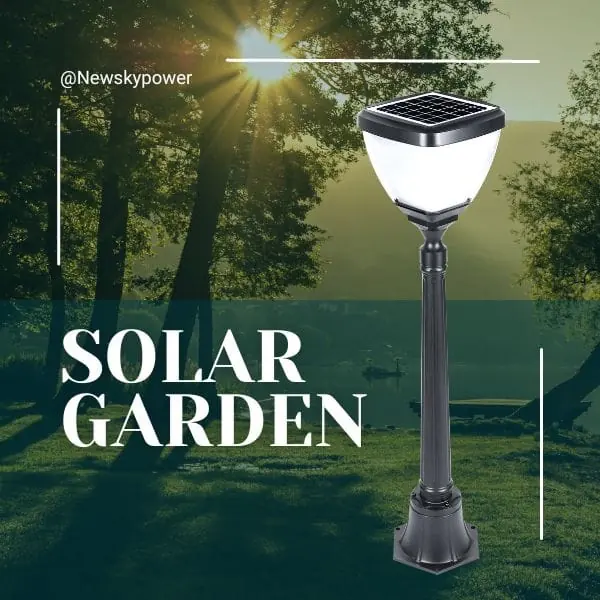


Solar street lights with motion sensors can increase light output when movement is detected and use a lower output during quiet periods, if that operating mode is supported. This can make lighting more responsive to activity while reducing energy use compared with running the same light at high output throughout the night. Choosing a suitable system means understanding how it works, which settings are available and what to check on site.
A motion sensor controls lighting output. Cameras, recording, network access and alerts are separate options that should be listed explicitly in the system specification.
For product options, explore the solar induction street lamp range. In this context, “induction” means motion sensing; it does not describe every lighting technology that uses that word.
How Do Motion Sensor Solar Street Lights Work?
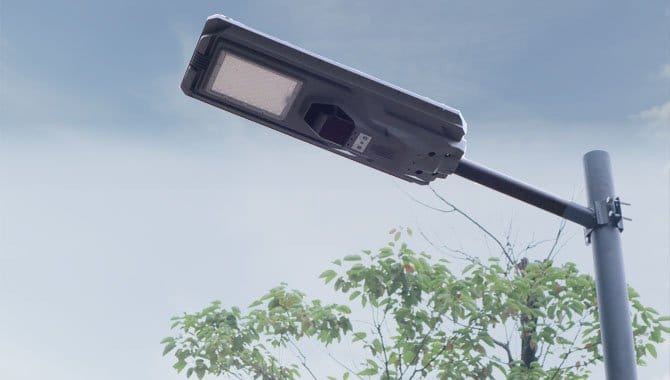
A motion sensor detects movement within its sensing area and passes a signal to the lighting controller. The controller then follows its programmed response, such as increasing LED output or restarting a high-output hold period. What happens after movement stops depends on the selected mode: the light may return to a lower level, switch off or continue a scheduled lighting program.
Dusk-to-dawn control and motion detection have different jobs. A daylight signal determines when nighttime operation is allowed. The motion signal changes the response to activity during the applicable operating period. A dusk-to-dawn solar street light may therefore stay at a background level all night and brighten when triggered; it need not be off whenever nobody is detected.
PIR vs Radar Sensors: What Should Buyers Compare?
PIR and radar are two common ways to detect motion. The label alone does not establish detection range, suitability for a mounting height or resistance to unwanted triggers.
| Check | PIR motion sensor | Radar / microwave motion sensor |
|---|---|---|
| Basic principle | Detects changes in incoming infrared energy as a target moves through its sensing zones. | Transmits radio waves and evaluates returned signals to detect movement; the method depends on the sensor design. |
| Important site conditions | Target-to-background temperature contrast, lens coverage, obstructions and movement through the sensing zones. | Detection-zone configuration, mounting, nearby movement and the sensor’s signal processing. |
| Warm environments | Reduced temperature contrast can affect detection. Check the specified test conditions. | Does not rely on body-to-background infrared contrast, but still needs verification under the site’s installation and environmental conditions. |
| Evidence to request | Coverage diagram and installation guidance for the offered sensor and lens. | Coverage diagram, supported settings and installation guidance for the offered radar module. |
| Site acceptance | Check the intended pedestrian or vehicle approach paths and observe missed or unwanted triggers. | Check the same intended paths and whether activity outside the desired area triggers the light. |
Neither technology is automatically best for every road, entrance or hot climate. Compare the offered devices at the intended mounting position. A specification headed “solar street lamp radar induction” should still identify the sensor, compatible controller and test conditions; it is not a performance rating by itself.
Typical Solar Street Light Dimming Modes
The following are possible control arrangements, not a universal factory program. Confirm which ones the proposed model supports.
| Mode | Typical sequence | What to confirm |
|---|---|---|
| Background light plus motion boost | After dusk, lower output → movement detected → higher output → return after the configured hold period. | Background and triggered output, hold time, repeat-trigger behavior and any scheduled changes. |
| Motion-only lighting | During the enabled nighttime period, off → movement detected → on → off after the configured hold period. | Whether darkness between events is acceptable for the location and whether this mode is supported. |
| Scheduled dimming with motion response | Output changes at scheduled times; motion may temporarily override the scheduled level. | Which signal takes priority and what happens when the hold period ends. |
| Continuous nighttime output | The light follows a fixed nighttime output or schedule without a motion boost. | Whether the controller permits this setting and whether the energy system is sized for it. |
Confirm the supported sensitivity and hold-time settings, the adjustment method and the agreed factory program. If network management is included, request its hardware, platform and service details separately from any handheld setup remote.
Energy Use and Suitable Applications
Keeping brightness low until motion is detected can save energy compared with continuous high output. The result depends on the electrical power at each level, time spent at each level, hold period and frequency of triggers. Frequent traffic or unwanted triggers can keep the lamp at higher output for much of the night.
For an energy check, calculate each operating stage as power in watts multiplied by time in hours, then add the stages to obtain watt-hours. Include controller and sensor consumption within the same stated measurement boundary. A displayed brightness percentage is not a substitute for measured or documented input power at that setting. Use a realistic activity profile when comparing proposals.
Low-traffic paths, entrances and intermittently used yards may benefit from a background-light-and-boost program. Commercial roads, pedestrian routes and continuously occupied areas may need maintained lighting levels even between detections. Set the minimum acceptable lighting level first, then assess whether the motion program can meet it.
A lower lighting load reduces battery energy use under the same operating conditions. Assess component life separately through temperature limits, charging, protection and maintenance. For energy planning, see cloudy-day autonomy and battery sizing.
Motion Sensor Troubleshooting: What to Check First
Observe the light under the manual’s test conditions before changing settings. Record the time, recent weather, selected mode, direction of approach and whether one unit or several behave the same way.
| Symptom | First checks | Useful next step |
|---|---|---|
| Movement does not trigger brighter light | Is motion mode enabled? Is the test taking place during its enabled period? Is the target within the specified zone, with the sensor unobstructed? | Repeat a walk test along the intended routes using the manual’s procedure; record where response starts and stops. |
| The light brightens when nobody is expected | Look for actual movement within or near the zone, including vehicles, animals or vegetation; check mounting and sensitivity guidance. | Log when it happens and have the installer review the sensing area before changing permitted settings. |
| The light stays bright | Check for repeated triggers, a long configured hold period, a continuous-output mode or a schedule that overrides motion. | Compare the observed sequence with the controller program rather than assuming the sensor is defective. |
| The light brightens and then dims | Check whether the return to background output matches the programmed hold period. | If dimming occurs outside the expected sequence, check the documented battery-protection indications and report them. |
| The light stays dim | Confirm the background setting and whether a trigger is registered; review charging conditions and controller indications. | Send the mode, symptoms and indicator records to the supplier; persistent dimness can involve the energy system as well as sensing. |
For faults affecting charging, the battery, wiring or the LED itself, use the solar street light troubleshooting guide. Inspection inside an enclosure should follow the manufacturer’s isolation procedure and be performed by qualified personnel. Do not bypass protection to test the sensor.
What to Check Before Buying
Ask for information that makes the proposed motion sensor solar street light settings verifiable:
| Procurement question | Evidence to request |
|---|---|
| Which sensor is supplied? | Sensor type, model or module identification, and the matching manual version. |
| Will it detect the intended users from this pole position? | Detection-zone drawing, supported mounting range and test conditions for detection distance. |
| What happens before, during and after a trigger? | Controller mode table, output at each stage, hold period and repeat-trigger behavior. |
| Which settings can the operator change? | Instructions for the permitted adjustment method, adjustable limits and recovery to the agreed program. |
| Does it include network functions? | Separate confirmation of communications hardware, platform access, alerts and any service charges. |
| Will it meet lighting and energy requirements? | A lighting proposal and energy calculation using the agreed baseline output and expected activity. |
| How will performance be accepted and maintained? | Site test procedure, service access, replacement sensor/controller compatibility and support arrangements. |
Frequently Asked Questions
Can motion sensor solar street lights stay on all night?
Some can maintain background lighting all night or use a continuous nighttime mode. Confirm the available program and the energy capacity required for it. Motion sensing does not automatically mean that the light switches off between people.
How far away will the sensor detect movement?
There is no single distance for all models. Use the offered sensor’s coverage diagram and stated mounting and test conditions, then verify the intended approach paths on site.
Why does my solar street light stay dim?
It may be following its background-light program, missing the target within its sensing zone or limiting output under an energy-protection mode. Check the operating program and indicators before treating it as a failed sensor.
Does motion detection include recording or remote alerts?
These require separately specified camera, storage and communication functions. Check the supplied equipment and service plan rather than assuming they are included with the motion sensor.