


A color temperature chart tells you how warm or cool white light looks. Around 2700–3000K looks warm; 4000K is commonly described as neutral; 5000–6500K looks progressively cooler. A higher number does not automatically mean more light, more accurate colors, or a better fixture.
Quick starting points
- Relaxed seating or a welcoming entrance: compare 2700–3000K with nearby lights and finishes.
- Mixed everyday use: compare 3000K and 4000K at similar light levels.
- Work surfaces or color inspection: compare 4000K and 5000K for appearance, then separately check illuminance and color-rendering evidence.
- Outdoor walking near windows: start with a permitted warm-white option, while checking shielding, spill light, and coverage.
These are sample shortlists, subject to available configurations and project requirements. Choose the final version in its intended setting.
Start with the light color temperature chart, then follow the five-step selection method, worked example, and request checklist. Detailed CCT comparisons and the RGB, spectrum, and color-rendering sections come later when you need to examine specifications more closely.
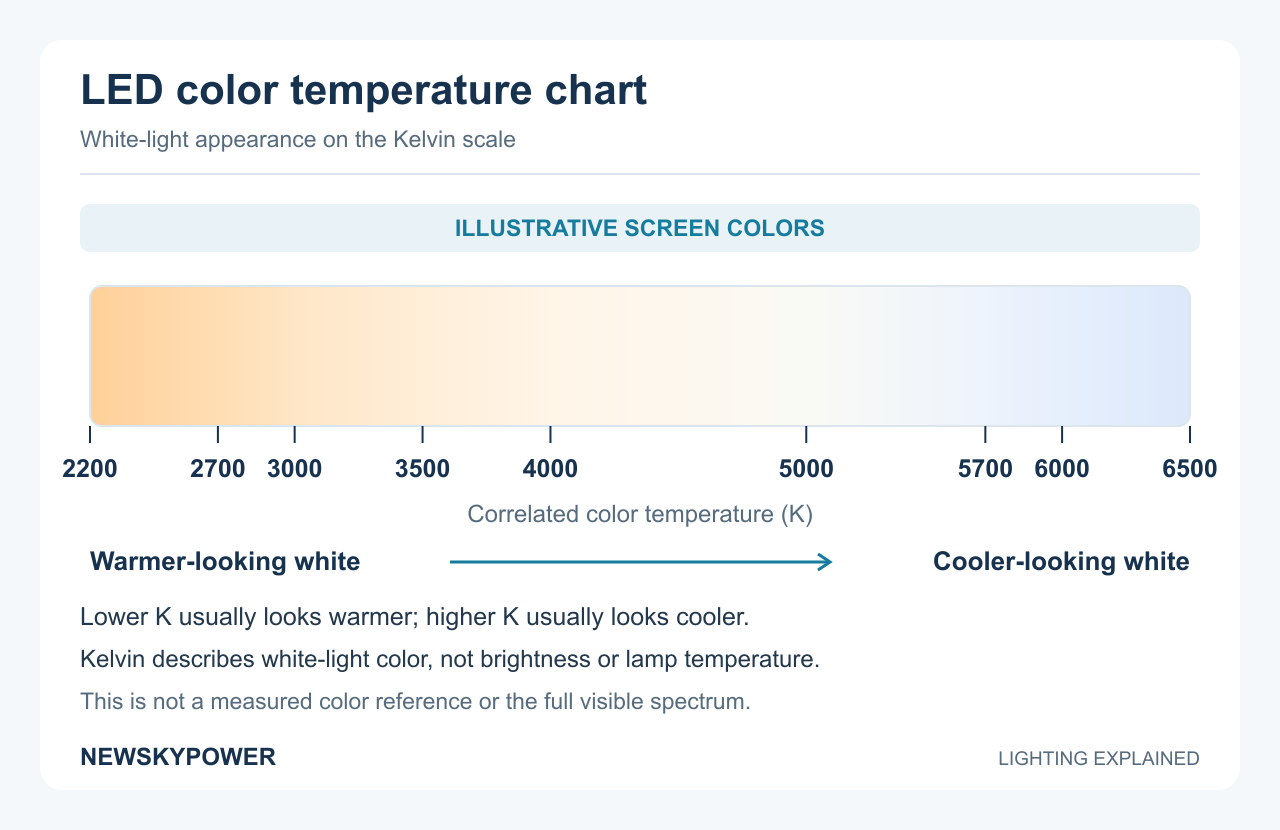
LED Color Temperature Chart: Read the Kelvin Light Scale
The Kelvin scale for lighting describes the color appearance of white light. LED light color temperature is generally specified as correlated color temperature, or CCT, expressed in kelvin (K). It relates the light's appearance to a reference thermal radiator; it is not the temperature of the LED housing. CIE defines CCT through the closest corresponding reference color.
Use this LED color temperature chart to identify a visual direction. The additional values help interpret specifications; they are not a list of configurations available for every product.
| Kelvin color temperature (CCT) | Usual visual description | Useful comparison |
|---|---|---|
| 2200K | Very warm, amber-looking white | A distinctly warm appearance; not necessarily a single-color amber LED |
| 2500K | Very warm white | Warmer than 2700K; compare the actual material and surroundings |
| 2700K | Warm or soft white | A familiar warm starting point for ambient lighting |
| 3000K | Warm white | Usually less yellow-looking than 2700K when compared together |
| 3200K | Warm white | Between 3000K and 3500K; do not expect a dramatic category change |
| 3500K | Warm-to-neutral white | A bridge between 3000K and 4000K when either endpoint feels unsuitable |
| 4000K | Often called neutral white | Less warm than 3000K and generally less cool-looking than 5000K |
| 5000K | Cool white or daylight white | A cooler appearance; assess output and color rendering separately |
| 5700K | Often sold as daylight white | Between 5000K and 6000K, rather than a separate guarantee of performance |
| 6000K | Cool white | A noticeably cooler candidate beside warm-white lighting |
| 6500K | Cool or daylight white | Often more bluish-looking than 5000K in a side-by-side comparison |
The 3500K light color, for example, is useful to recognize when a specification sits between common 3000K and 4000K choices. It does not imply that an existing 3000K fixture can be adjusted to 3500K.
Soft white, bright white, cool white, and daylight
These names are convenient labels, but suppliers do not use them identically. “Soft white” often points toward warmer light; “bright white” may describe a marketing category rather than a measured brightness. Read the numeric CCT, then use lumens and lighting calculations for light quantity. A color temp chart is a starting guide, not a rule assigning one compulsory color to every location.
What Kelvin is daylight?
In product listings, “daylight” often refers to white LEDs around 5000–6500K. Natural daylight does not have one permanent CCT: its spectrum varies with conditions, location, and time. CIE's D50 and D65 are defined reference illuminants at approximately 5000K and 6500K, respectively. A lamp marked 6500K does not therefore reproduce the full D65 spectrum. CIE explains these daylight references.
A light bulb color chart or light bulb color scale uses the same basic CCT concept. Choosing a complete outdoor or solar fixture adds questions about the beam, mounting arrangement, controls, and power system.
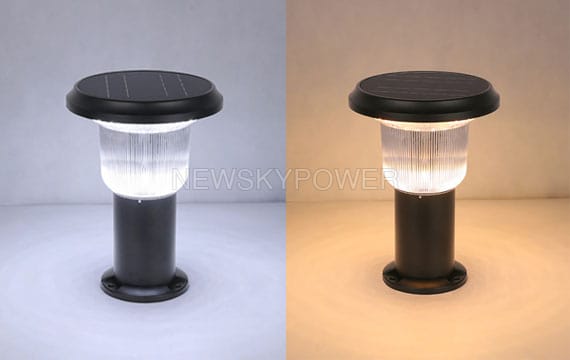
How to Choose the Right LED Lighting Product Color Temperature
Step 1: define what people must see and what the site permits
Write one sentence describing the job: identify a step, follow a path, inspect a surface, or enjoy a seating area. Note when the light is needed, who sees it, and what neighboring lights are already present.
For outdoor work, check the project specification and applicable local requirements before shortlisting CCT. Include nearby windows, sensitive surroundings, and unnecessary illumination outside the target area. The joint DarkSky and IES principles emphasize useful, targeted, appropriately low, controlled, and warm-colored outdoor lighting. CCT is one part of that approach, not a replacement for shielding or control. See the five outdoor-lighting principles.
Step 2: establish the required light, then compare color
For a project, use the actual layout: mounting height, spacing, path or area dimensions, and relevant obstacles. Ask for an appropriate lighting calculation and photometric file where the design requires them. Compare the necessary light levels and their distribution, not just the brightest spot.
For a small installation, a representative fixture in the intended position can reveal obvious dark areas or uncomfortable views. A showroom demonstration close to the lamp is a different test.
Step 3: shortlist two suitable CCT options
Use a color temperature chart for lighting comparisons, then narrow the available options to two that suit the visual direction and project constraints. This makes a sample comparison easier than discussing every number on a chart.
Compare similar output, beam distribution, mounting position, and dimming mode. If those also change, decide whether you are comparing light colors or two complete lighting systems. Both comparisons are useful, but they answer different questions.
Step 4: examine the light where it will be used
Assess LED lighting color temperature after dark from the normal walking, working, and seated positions. Include the actual paving, planting, wall finishes, and nearby lighting. Check whether a direct view of the LED causes discomfort and whether important objects remain recognizable.
Where color identification matters, request color-rendering data and examine relevant materials. Where consistent appearance matters across many fixtures, agree on acceptable color variation and a reference sample. A numerical CCT alone is not a complete matching specification.
Step 5: record the approved configuration
Attach the decision to a model and configuration, not to a phrase such as “nice white.” Include the control mode used during approval and identify who accepted the sample.
For a garden-specific application, continue with our 3000K, 4000K, and 6000K garden and courtyard selection guide. It applies the choice to paths, entrances, and seating areas.
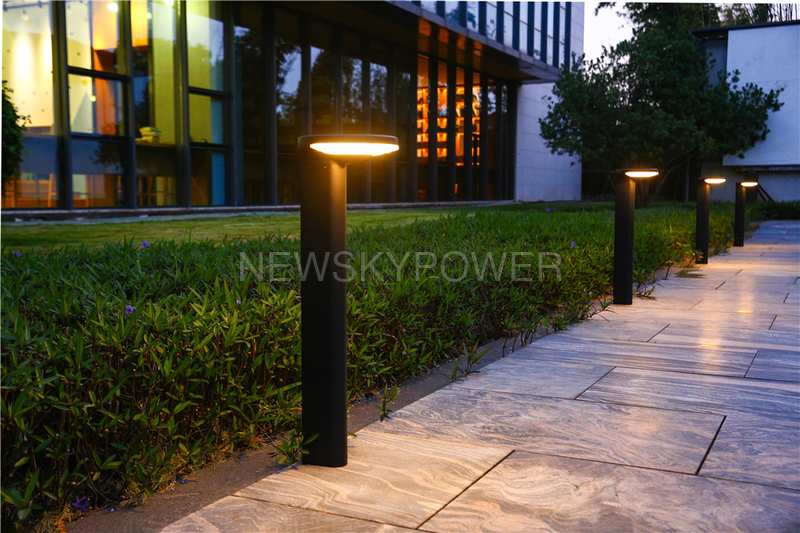
Worked Example: Choosing Light for a Path Beside Windows
This is an illustrative selection exercise with assumed observations, not a completed customer project or a measured lighting test.
Define the need and the two candidates
Consider a paved route between an entrance and a garden, with residential windows beside it. Existing entrance lights look warm. The priorities are to see the walking surface and a bend in the route, preserve a welcoming appearance, and keep direct light away from the windows. The project permits either 3000K or 4000K.
Shortlist those two CCT versions of a suitable fixture family. Compare them in the same mounting positions, with the same optics and operating mode; check their stated outputs so a brighter version does not win simply because it produces more light. View the paving and entrance from normal walking positions, then inspect the view from the window side.
Interpret the assumed observations
| Assumed comparison finding | What it means | Decision in this exercise |
|---|---|---|
| 3000K blends with the warm entrance lighting; 4000K looks cooler than desired | This is an appearance preference in this setting | Keep 3000K as the preferred color |
| A dark patch remains at the bend with both versions | Changing CCT has not addressed the coverage problem | Revise the beam direction, position, or spacing and check the resulting distribution |
| A direct view of the bright emitter is uncomfortable from the window side with both versions | The problem involves the sightline and light distribution, not just warmth | Specify suitable shielding and positioning toward the path |
Make the choice and record what remains to be approved
Choose the fixed-white 3000K version for the next sample approval, together with the revised layout and shielding. It meets the stated appearance preference; switching to 4000K solely to fix the dark patch would not address the identified cause.
The selection record should read: “3000K, fixed white; path-facing optics and window-side shielding to be confirmed; revised bend layout; agreed nighttime operating profile; final sample approval pending.”
Before releasing a bulk order, verify coverage and the window-side view with the revised arrangement, confirm the exact model and controls, and retain the approved sample record. For a solar version, also check charging conditions and the energy required by the chosen operating profile. The decision is now specific enough to request a configuration and quotation, while the remaining checks are clear.
A Sample and Order Checklist You Can Use
Use the same record when requesting samples, reviewing them, and placing the order. This reduces the chance that the sample and bulk delivery represent different configurations.
| Record | What to write down |
|---|---|
| Application and location | Task, surroundings, relevant project requirements, and reference site images |
| Fixture identification | Model, configuration, sample ID, and approval date |
| White-light choice | Nominal color temperature in kelvin; fixed, selectable, or tunable; agreed tolerance if required |
| Light output and distribution | Required output, optics, mounting position, and calculation or measurement reference |
| Color appearance | Required color-rendering evidence and the materials used in the sample check |
| Operating mode | Dimming levels, schedule, sensor behavior, and approved start-up setting |
| Delivery and replacement | Quantity by configuration, accepted reference sample, and replacement-matching instructions |
For example, “3000K, fixed CCT, approved sample A, operating profile attached” is more usable than “warm light.” It still needs the fixture model and relevant performance requirements, but it removes an avoidable ambiguity.
Copy a short request for a configuration or quotation
For an outdoor or solar-lighting purchase, send NEWSKYPOWER your requirements. Copy the template below into your message and replace the blanks; “not decided” is useful when you need help comparing options.
Application and site location: ___
Area/path dimensions and proposed mounting: ___
Quantity and preferred fixture type: ___
Preferred CCT or two options to compare: ___
Required nighttime schedule and dimming/sensor mode: ___
Existing lights, nearby windows, and main concern: ___
Available photos, layout, or project specification: ___
Please advise the suitable configuration, documents available, and quotation/sample-order terms.
This is a customer request template, not a pre-approved specification. Add the performance requirements and sample approval record as the selection develops.
Light Color, Brightness, and Color Rendering Are Different Decisions
When comparing LED lamp colours, first decide whether you mean warm/cool white light or a saturated color such as red or green. White-light CCT and RGB colors answer different questions. Neither alone describes how an illuminated object will look. Separate these specifications before comparing prices:
| Parameter | What it tells you | What to request |
|---|---|---|
| CCT, in K | Warm or cool appearance of white light | The chosen CCT and any agreed color tolerance |
| Luminous flux, in lumens | The fixture's total visible-light output | Output for the specific configuration and operating mode |
| Illuminance, in lux | Light reaching a particular surface | Calculation or measurement at the relevant surface and positions |
| CRI and other color-rendering metrics | How illuminated objects' colors compare with a reference | Model-specific color-rendering data if color appearance matters |
| RGB or other color-control specification | Available colored effects and control behavior | Supported modes, white-light function, and control method |
A fixture can look cool white yet leave part of a path poorly lit. Conversely, a warm-white fixture can provide useful illumination when its output and distribution suit the area. Fix a dark patch by checking light levels, optics, spacing, and obstructions—not by assuming a higher CCT will solve it.
White light color temperature does not describe every aspect of color quality. Two nominally 4000K lights can differ in tint or in how they show a red surface. CRI is useful but incomplete; R9 adds information about saturated red, while TM-30 offers a broader color-rendering assessment. Ask for the data relevant to the task rather than assuming that “white” means accurate color. DOE explains these distinctions in its LED basics guidance.
Color Temperature Comparison: Which Two Options Should You Test?
Compare LED color temperatures using available configurations that could both suit the job. Keep output, beam, mounting, and operating mode as similar as possible so that a change in light level is not mistaken for a change in color.
| Comparison | Main appearance difference | When this comparison helps | What should decide the choice? |
|---|---|---|---|
| 2700K vs 3000K | Both are warm; the 2700K light color generally looks warmer or more yellow | Matching existing warm lighting or refining a relaxed atmosphere | The actual finishes, surrounding lights, and approved sample |
| 3000K vs 4000K | Warm white against a more neutral-looking white | Deciding whether a shared space should retain warmth or look less warm | How people and materials appear at the required light level |
| 4000K vs 5000K | Neutral-looking white against a cooler white | Selecting a white appearance for mixed-use or working areas | Task visibility, adjacent lighting, and independent color-rendering evidence |
| 5000K vs 6500K | Two cooler choices; 6500K usually looks more bluish beside 5000K | Matching an existing cool installation or comparing specified options | The project requirements and side-by-side sample, not the word “daylight” alone |
| 3000K vs 6000K | A pronounced warm-to-cool difference | Choosing a clear visual direction for an entrance, path, or landscape fixture | Atmosphere, comfortable viewing, and appropriate coverage together |
| Lighting at 3000K vs 5000K | A warmer appearance against a cooler one | Comparing two common options without assuming the cooler one produces more light | Actual lumens, distribution, appearance, and site constraints |
3000K vs 6000K: a clear difference in light warmth
A 3000K color temperature generally creates a warmer impression than 6000K color temperature. At an entrance, the 3000K light color may relate well to nearby warm building lights, while an existing cooler installation can create a different matching requirement. Look at the path, steps, faces, and nearby windows—not just the glowing LED.
For a real configuration example, the SLL-009 solar bollard light lists 3000K, 4000K, and 6000K options. Record the selected option on the order. Available choices do not by themselves mean every delivered unit can switch between them.
4000K and 5000K: neutral-looking is not the same as accurate
The 4000K light color is often considered a middle ground. It can be a useful candidate when 3000K feels too warm but a cooler appearance seems out of place. The 5000K light color may suit a preference for cooler-looking white, yet its CCT alone says nothing about whether reds, greens, or skin tones are reproduced well.
For lighting at 3000K vs 5000K, the same distinction applies. A 5000 kelvin light does not necessarily deliver more lumens than a 3000K fixture. “Bright white” does not state the lumen output, and 5000K does not mean the light contains only a single “pure white” component. Choose color appearance, output, and color-rendering requirements separately.
RGB Light Color Scale: Read the Codes and the Product Capability
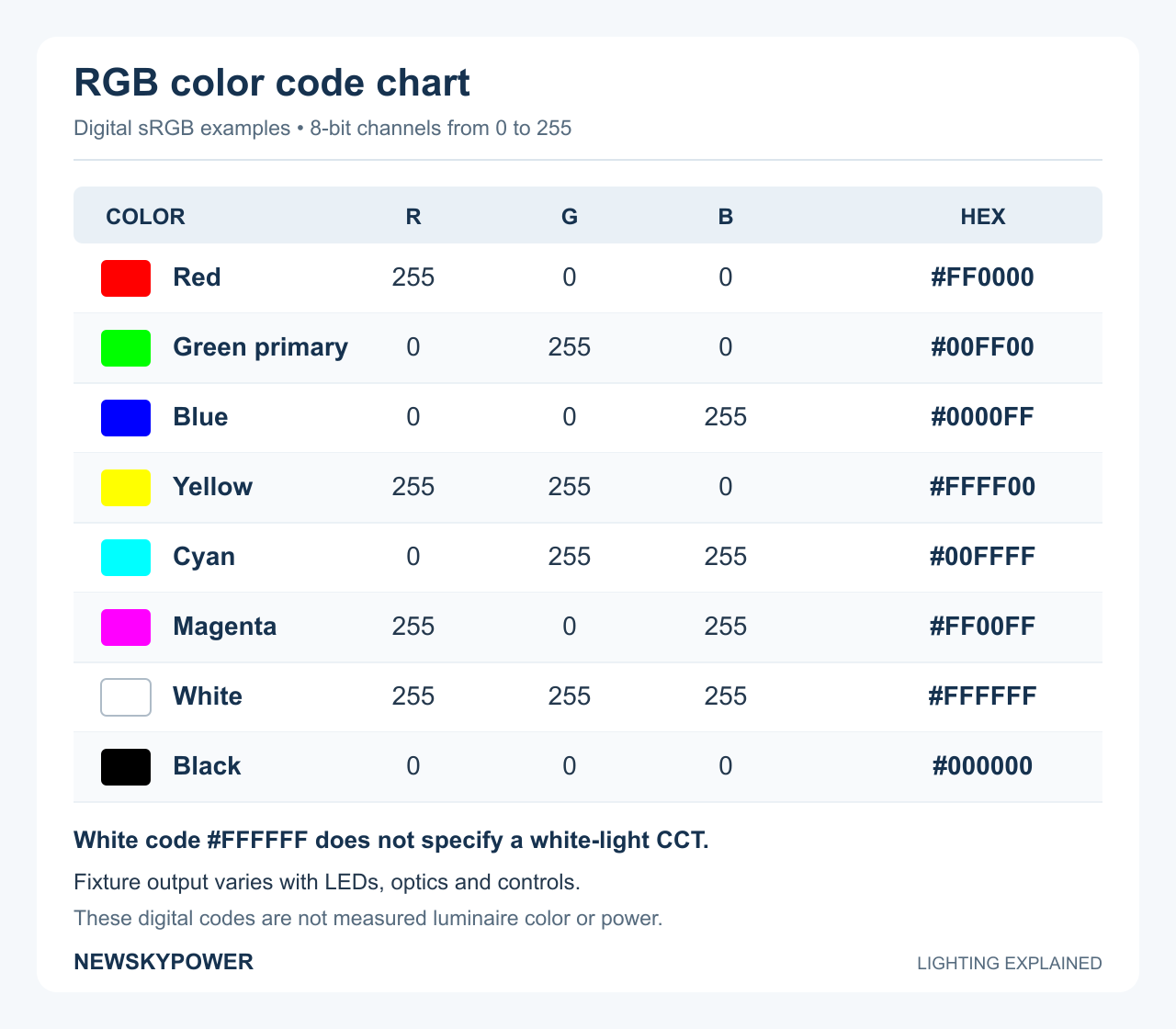
An RGB light color scale describes mixtures of red, green, and blue channels. A saturated red, blue, or green effect is not specified by a white-light CCT number. When an LED light color chart includes both white and saturated colors, check which system each part represents.
If a controller accepts LED light color codes, check which notation it uses. The table below uses 8-bit sRGB screen values, with each component written from 0 to 255. These are useful digital examples, not calibrated settings for a lighting controller. W3C documents the sRGB RGB and hexadecimal notation.
| Digital color example | R | G | B | Hex code |
|---|---|---|---|---|
| Red | 255 | 0 | 0 | #FF0000 |
| Green primary / lime | 0 | 255 | 0 | #00FF00 |
| Blue | 0 | 0 | 255 | #0000FF |
| Yellow | 255 | 255 | 0 | #FFFF00 |
| Cyan | 0 | 255 | 255 | #00FFFF |
| Magenta | 255 | 0 | 255 | #FF00FF |
| White | 255 | 255 | 255 | #FFFFFF |
| Black | 0 | 0 | 0 | #000000 |
In this digital model, red plus green makes yellow, green plus blue makes cyan, and red plus blue makes magenta. Equal maximum channels specify sRGB white, not a fixture's CCT or CRI; black means no output, not a special “black light” mode. Screen values are nonlinear and should not be treated as calibrated fixture commands.
For actual LED light colors, distinguish three capabilities: fixed white or selectable CCT; tunable white; and full-color RGB or multi-channel control. A color wheel in an app does not reveal whether white is mixed from RGB channels or produced by a separate white channel. DOE distinguishes these color-tunable product types.
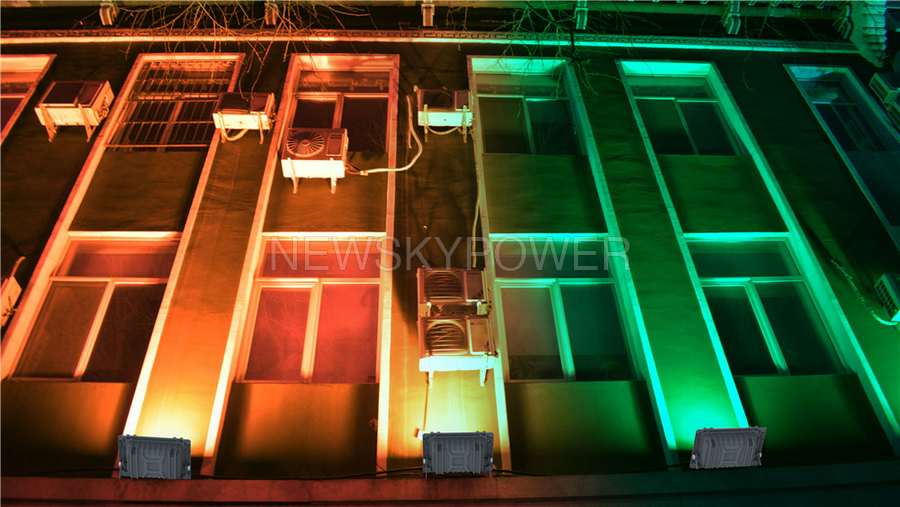
The MJ-AWC RGB solar flood light is designed for decorative RGB lighting. When a project also needs everyday white illumination, confirm the exact model's white-light function, output, control method, and power-on behavior. Assess decorative effects separately from the light needed for movement or work.
LED Light Spectrum: How to Read the Curve
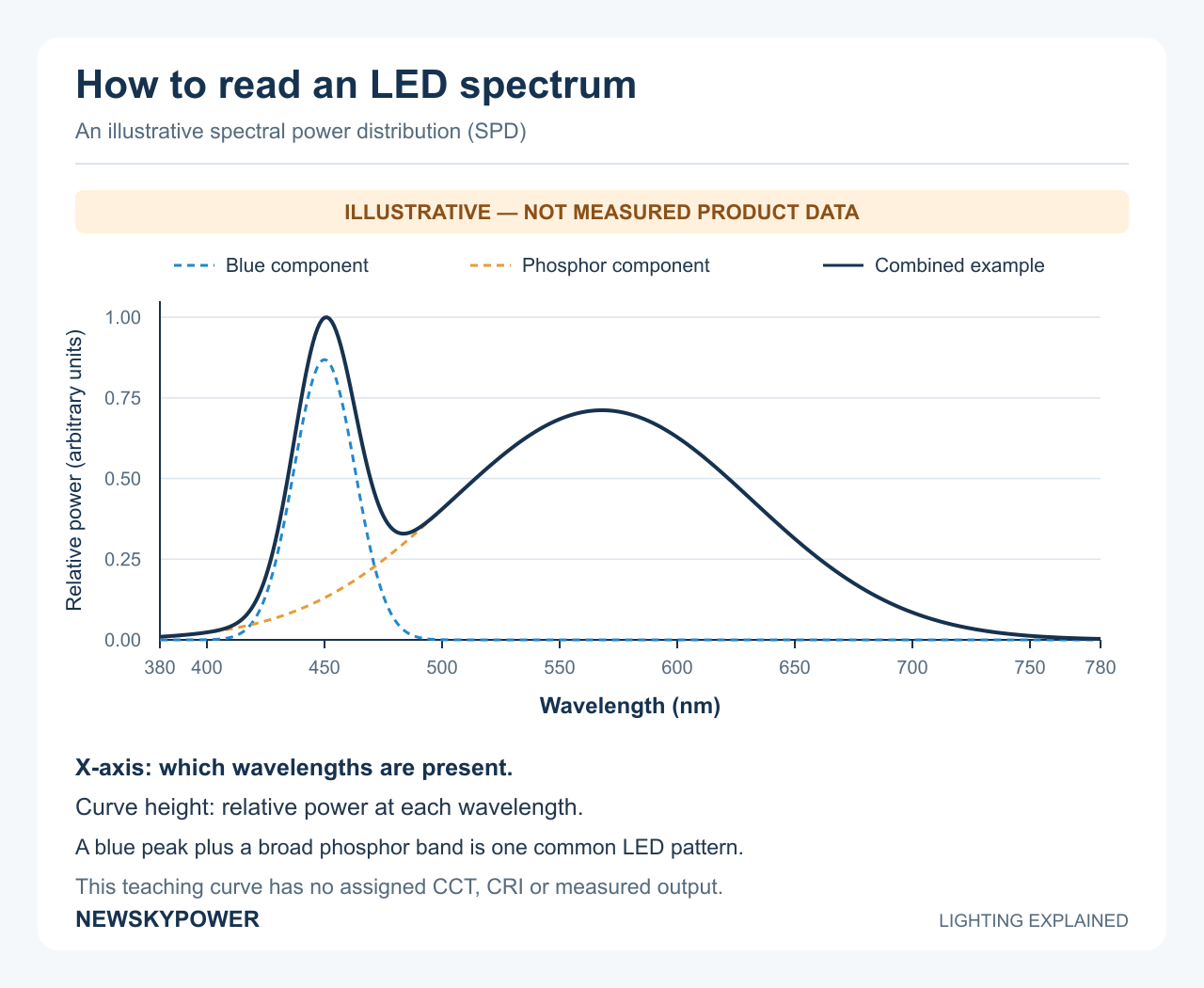
A Kelvin color band shows an appearance sequence. An LED spectrum shows how radiation is distributed across wavelength. The graph is usually called a spectral power distribution, or SPD. It helps explain why two sources can have similar white appearances but different effects on materials.
Many phosphor-converted white LEDs combine a relatively narrow blue-region peak with a broader phosphor emission band. Other LED architectures have different shapes. The familiar peak-and-band pattern is one way to create white light, not a mandatory test of whether a product is good. DOE's introduction explains representative LED spectral shapes.
Read an LED spectrum chart in four passes
- Read the horizontal axis. Wavelength is usually in nanometers (nm), not kelvin. Shorter visible wavelengths lie toward violet and blue, with longer wavelengths toward red. A plot covering only part of the spectrum says nothing about output outside the plotted range.
- Read the vertical axis and normalization. It may show an absolute spectral quantity or relative output. If every curve has been separately scaled so its highest point equals one, equal peak heights do not prove equal watts, lumens, or illuminance. Confirm the measurement geometry and units before comparing quantities.
- Look at the whole shape. Identify broad bands, narrow peaks, and lower-output regions. A stronger-looking red region can prompt a closer look at red rendering, but reading a peak by eye is not a calculation of R9 or CRI. The chart color used to draw a line is only a legend.
- Connect the graph to the measured results. Match its model, CCT setting, drive condition, and test identification to the reported CCT, tint, color-rendering data, and light output. A curve from another setting is not evidence for the unit you are ordering.
Can two 4000K LEDs have different spectra?
Yes. CCT compresses color appearance into one value; it does not uniquely specify the mix of wavelengths. DOE documents different spectra that can produce the same chromaticity. This is why matching CCT cannot guarantee matching material colors, and why RGB white is not automatically equivalent to a phosphor-white source. See DOE's color and spectrum research.
A plot also cannot establish a product's complete performance by itself. For example, no visible ultraviolet segment on a limited-range chart is not proof of zero ultraviolet output. Ask for a measurement covering the quantity and range that the question actually concerns.
CRI, R9, and TM-30: Read a Color-Rendering Report
Color rendering describes how a source makes objects' colors appear relative to a defined reference. It is separate from whether the white light looks warm or cool. For a buying decision, the useful question is which information is available for the actual configuration and relevant materials.
What the main numbers mean
CRI Ra is the average of R1 through R8. These are the rendering scores for the first eight test-color samples in the CIE method. R9 is a separate saturated-red score and is not included in that Ra average. A favorable Ra therefore does not establish equally favorable red rendering. This matters when the appearance of red surfaces or materials with important red components affects the task. DOE's color-characteristics factsheet explains the distinction.
TM-30 adds a broader set of color information. Its calculation uses 99 color-evaluation samples, rather than Ra's eight-sample average. IES describes the TM-30 sample set.
| Report item | How to read it | What not to assume |
|---|---|---|
| Ra / general CRI | Average fidelity for R1–R8 relative to the method's reference | That it includes R9 or describes every material equally well |
| R9 | Rendering of the saturated-red test sample | That it is an overall score for all colors |
| TM-30 Rf | Overall color fidelity; closer to 100 means closer to its reference across the samples | That it is interchangeable with Ra or a complete preference score |
| TM-30 Rg | Average gamut-area change; around 100 means a similar average area to the reference | That 100 means no individual color shifts, or that a higher number is always better |
| TM-30 color vector graphic | Direction and size of average shifts across 16 hue regions | That two lights with the same overall Rf/Rg necessarily affect each color identically |
In a conventional TM-30 vector graphic, movement outward from the reference generally indicates increased chroma; inward movement indicates reduced chroma. Movement around the circle indicates a hue shift. Rg above or below 100 summarizes average expansion or contraction, which can hide opposing changes in different regions. Use the graphic with Rf and Rg, not as a separate “pass” icon. IES explains why overall and hue-specific measures work together. DOE also explains how to read the vector graphic.
How to use the report before approving a model
Start with the report header: identify the tested product, setting, date, test method or edition, and relevant operating conditions. Then use this short reading sequence:
- Check that the measured CCT and reported tint correspond to the intended appearance. Duv describes the signed distance from the blackbody (Planckian) locus; it is not a batch color-matching tolerance. The same CCT does not rule out a greenish or pinkish difference. DOE explains CCT and distance from the Planckian locus.
- Read Ra and R9 separately if both are supplied. A missing R9 field is unknown, not zero and not a pass. Request it when red rendering is important.
- If TM-30 is available, read Rf, Rg, and the vector graphic together. Look specifically at the hue regions that matter to the intended surfaces instead of selecting the largest number on the page.
- Compare the evidence with the project specification and a representative material sample. Record the requirement accepted by the buyer; there is no single CRI, R9, or TM-30 threshold that this article can promise is correct for every application.
If a supplier offers only a CCT figure, that is enough to discuss warm versus cool appearance, but not enough to claim a measured color-rendering result. Request the missing report rather than treating a product photograph as a substitute.
What Color Temperature Does—and Does Not—Tell You About Solar Lights
A CCT label cannot establish how long a solar light will operate. Evaluate the actual electrical load, nightly operating profile, usable battery energy, and available solar charging separately.
For an initial energy check, add the energy used in each lighting period:
Nightly lighting energy (Wh) = sum of actual electrical power (W) × operating time (h) for each period.
If a controller uses several brightness stages, obtain the corresponding electrical power at each stage; do not assume that a “50% brightness” command means exactly half the system's electrical input. Account separately for relevant controller or accessory loads and system losses.
Compare that demand with usable battery capacity and the charging expected under the project's design conditions. A nominal battery Wh figure is not all available to the load, and a panel's rated watts do not describe the energy harvested every day.
When comparing warm- and cool-white versions, request each version's actual output and consumption. This is more useful than assuming either color automatically gives longer autonomy. Our solar flood-light range provides a starting point for comparing fixture types; the final operating configuration belongs in the quotation and sample record.
If the Installed Light Looks Wrong, Check the Cause First
| What you notice | What to check | A useful next action |
|---|---|---|
| A path has dark gaps | Beam, spacing, mounting, obstacles, and operating mode | Correct coverage or output before changing CCT |
| White light looks too yellow or too cool | Model label, selected setting, surrounding light, and approved sample | Compare the intended CCT in the actual setting |
| Adjacent fixtures look different | Configuration, batch information, age, and color tolerance | Compare against the retained sample and replacement specification |
| The view is uncomfortable despite adequate light | Direct view of LEDs, aiming, shielding, and excessive output | Adjust distribution or control; do not rely on color alone |
| Colors look unconvincing despite an acceptable white appearance | Color-rendering data and the actual materials | Compare an appropriate sample or an alternative light source |
Frequently Asked Questions
Can I change the color temperature after installation?
Only if the delivered model supports it. Fixed-CCT versions, switch-selectable versions, and continuously tunable white products are different configurations. Confirm the adjustment method and whether changing it requires access to the fixture.
Will dimming make an LED warmer?
Not automatically. Brightness dimming and color tuning are separate functions. A dim-to-warm product is designed to become warmer as it dims; ordinary dimming does not promise that behavior.
Can I choose the exact color from a phone photograph?
Use photographs to shortlist appearance, not to approve an exact CCT match. Camera white balance, exposure, image processing, and the viewing screen can alter the impression. Approve a representative sample in the intended environment when the distinction matters.
Can different color temperatures share one site?
Yes, when they serve a deliberate plan. Separate functional zones may have different needs. Check the color temperature of lights at transitions between zones, and avoid accidental differences between fixtures meant to look consistent.
Is matching Kelvin enough when replacing a lamp or fixture?
No. Matching lamp color temperature is only a starting point. Also compare output, distribution, controls, installation compatibility, and color appearance against the remaining lights. Keep the original model/configuration record so replacement decisions do not depend on a photograph or a broad “cool white” description.
Can an RGB fixture replace an ordinary white-light fixture?
Sometimes, but the RGB label alone is insufficient. Check the white-light capability, output, distribution, color rendering, and operating mode required for the task. Evaluate colored decoration separately from the illumination needed for movement or work.
Can I convert Kelvin to lumens or use it to calculate housing temperature?
No. CCT describes a light's color appearance; lumens describe light output. Neither a CCT number nor a Kelvin-to-Celsius arithmetic conversion tells you how hot the fixture housing becomes. That requires thermal information or measurement.
Turn the Chart into a Clear Lighting Request
Start with the light color you want, then record the task, layout, required output, controls, and sample decision. For a NEWSKYPOWER product comparison, send your application and preferred configuration for a quotation. Include the installation dimensions, quantity, nightly operating requirements, and any existing-light photographs. These details make the next discussion about a specific model and configuration, rather than a broad “warm” or “cool” label.